



How to Choose a Digital Microscope for Mobile Repair

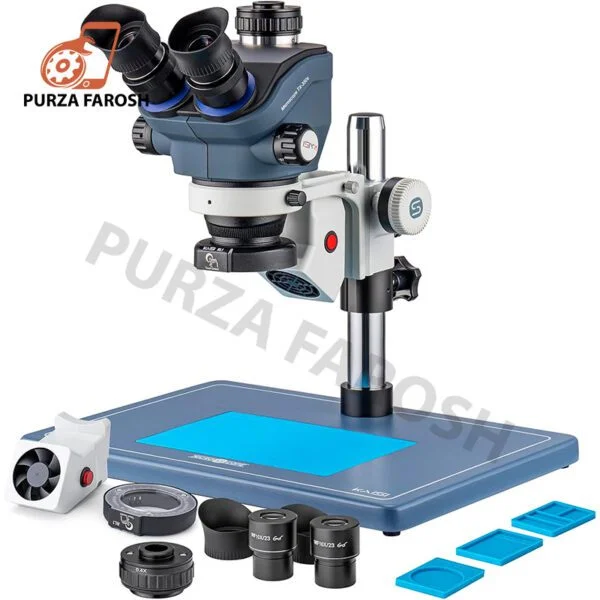
A digital microscope for mobile repair is an important investment for technicians who work with smartphone motherboards, ICs, solder joints, PCB traces, connectors, and other small components. As modern phones become thinner and their internal components become smaller, clear inspection can make detailed repair work easier and more precise.
However, choosing a microscope should not be based only on the highest advertised magnification. Image quality, working distance, lighting, stability, camera output, and the type of repair you perform are equally important. This guide explains what to consider before buying a mobile repair microscope in Pakistan.
Why Do You Need a Microscope for Mobile Repair?
Basic repairs such as battery or screen replacement may not always require a microscope. But once you move into motherboard repair, micro soldering, IC work, or PCB inspection, magnification becomes much more useful.
- ICs and small components
- PCB traces
- Solder joints
- Connector pins
- Jumper connections
- Solder bridges
- Damaged pads
- Tiny motherboard components
Purzafarosh’s existing mobile repair guide also identifies microscopes as important inspection equipment for motherboard components, solder joints, jumper work, and IC replacement.
The purpose of a microscope is not simply to make an object appear larger. It should provide a clear, stable image while giving you enough space to work with your soldering iron, tweezers, and other tools.
Digital Microscope vs Stereo Microscope
Before choosing a microscope for mobile repair, understand the main types available.
Digital Microscope
A digital microscope uses a camera to display a magnified image on an LCD screen or another compatible display. It can be convenient for technicians who prefer looking at a screen while working.
Digital microscopes can be a practical choice for beginners, general inspection, and technicians who want a compact setup.
Stereo or Trinocular Microscope
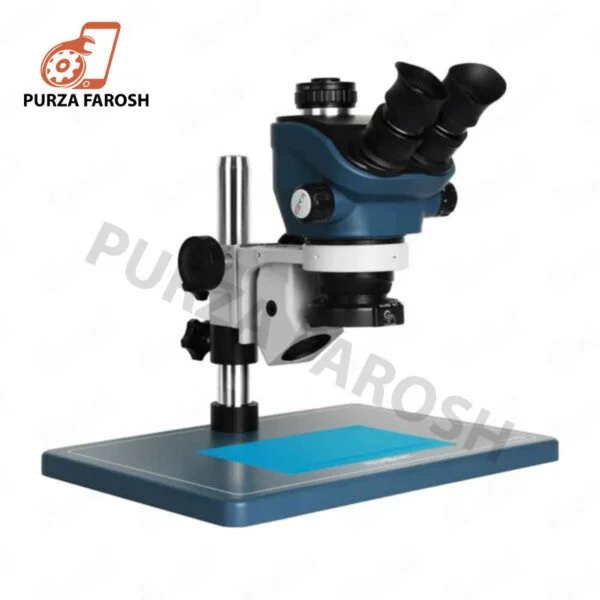
A stereo microscope provides an optical view with depth perception, while a trinocular setup can provide an additional camera path for recording or displaying the inspection.
Purzafarosh currently offers professional microscope options, including the Sunshine 71 Ultra-B11 trinocular microscope, which provides a continuous zoom range and a long working distance for mobile repair.
For advanced motherboard repair, the right optical system can be more important than simply choosing the model with the largest advertised number.
How Much Magnification Do You Need?
Magnification is one of the most commonly misunderstood microscope specifications.
A higher number does not automatically mean a better microscope. Extremely high magnification can reduce your field of view and make it harder to position your tools accurately.
For mobile repair, look for a useful, controllable zoom range rather than focusing solely on maximum magnification.
Consider:
- Optical magnification
- Zoom range
- Field of view
- Image clarity
- Focus stability
- Working distance
For example, professional microscope products available through Purzafarosh include models with different optical and zoom specifications, underscoring why technicians should compare the complete optical system rather than a single advertised magnification figure.
Working Distance Is Extremely Important
For mobile repair, this matters because your hands and tools need room to work.
- Soldering irons
- Tweezers
- Probes
- Cutting tools
- Jumper wires
When comparing digital microscopes for mobile repair, never look at magnification alone. Check the working distance and stand design as well.
Choose Good Lighting
Good lighting can make a major difference in PCB inspection.
- Solder bridges
- Damaged pads
- PCB tracks
- Connector pins
- Flux residue
- Small components
The Sunshine 71 Ultra-B11 available at Purzafarosh, for example, combines a professional microscope design with continuous zoom and lighting features intended for detailed inspection.
The best lighting setup should illuminate the board without creating excessive reflections or harsh shadows.
HDMI, USB, or Built-In Display?
If you choose a camera based mobile repair microscope, check how it connects to your display.
Built In LCD
A microscope with its own screen can provide a simple all-in-one setup without requiring a separate monitor.
HDMI
HDMI output can be useful if you want to connect the microscope directly to a larger monitor.
USB
Always check compatibility before purchasing, especially if you already have a preferred monitor or computer setup.
What Should Professional Technicians Look For?
- Clear optical quality
- Stable stand
- Useful zoom range
- Comfortable working distance
- Adjustable lighting
- Camera capability
- Easy focusing
- Good ergonomics
- Suitable accessories
Purzafarosh currently has dedicated Digital Microscopes in Pakistan for mobile repair, PCB inspection, motherboard repair, IC work, and soldering inspection.
What Should Beginners Buy?
If you are new to mobile repair, you do not necessarily need the most expensive microscope available.
A basic digital microscope can be a practical starting point for inspection and learning. As your skills improve and you begin performing motherboard level repairs, you can move toward a more stable stereo or trinocular system.
Purzafarosh’s current microscope range includes both more affordable digital options and advanced professional systems, allowing technicians to choose according to their repair requirements and budget.
You can also connect your microscope with other mobile repair tools at PurzaFarosh, such as soldering stations, multimeters, PCB tools, power supplies, and hot-air equipment.
Final Thoughts
Choosing the best microscope for mobile repair is about finding the right balance between magnification, image quality, working distance, lighting, stability, and camera functionality.
Do not buy a microscope simply because it advertises an extremely high magnification number. Think about the repairs you perform, the tools you use, and the amount of working space you need.
For beginners, a simple digital microscope may provide enough capability for inspection and learning. For technicians performing regular motherboard repair and micro soldering, a stable professional stereo or trinocular microscope can be a more suitable long term investment.
The best microscope is ultimately the one that gives you clear visibility, comfortable working space, and reliable control during the repairs you actually perform.