



Ultrasonic Cleaner for Mobile Repair: Complete PCB Cleaning Guide
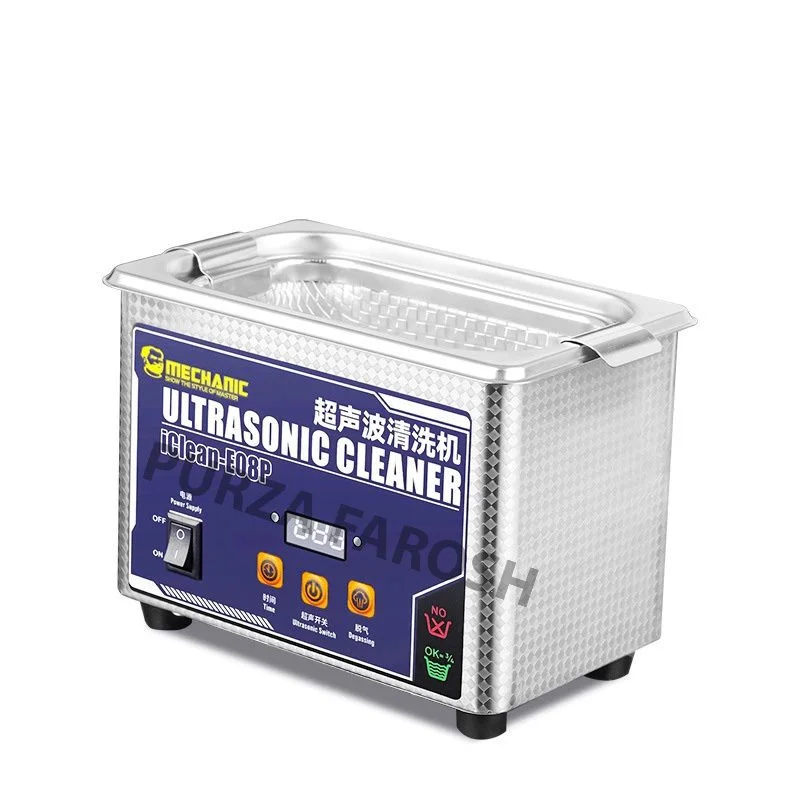
Cleaning is an important part of professional mobile phone repair. Flux residue, dirt, corrosion, oxidation, and other contaminants can remain around small components and difficult to reach areas of a motherboard. While manual cleaning works in many situations, an ultrasonic cleaner for mobile repair offers a different approach to cleaning electronic parts and PCBs.
Ultrasonic cleaning uses high frequency sound waves in a liquid to create microscopic bubbles. When these bubbles collapse, they help loosen contaminants from surfaces and hard to reach areas. This technology is widely used for cleaning electronic assemblies, although the correct equipment, cleaning solution, settings, and component compatibility are important.
For mobile technicians, an ultrasonic cleaner should be treated as a specialised cleaning tool, not a machine that can safely clean every smartphone component.
What Is an Ultrasonic Cleaner?
An ultrasonic cleaner is a tank based cleaning machine that uses ultrasonic energy to create cavitation inside a suitable cleaning solution.
For a mobile repair technician, the main advantage is access. A brush may clean the visible surface of a motherboard, while ultrasonic energy can help loosen contamination in harder to reach areas.
Why Use an Ultrasonic Cleaner for Mobile Repair?
A professional ultrasonic cleaner for mobile repairs can be useful when a board or a component has contamination that is difficult to remove by hand.
- Removing suitable flux residues
- Cleaning corrosion related contamination
- Removing dirt from compatible electronic parts
- Cleaning connectors and contacts
- Restoring heavily contaminated boards
- Cleaning suitable repair components
However, cleaning should normally be part of a broader repair process. If a phone has a motherboard fault, cleaning alone will not identify or repair the underlying electrical problem.
How Does Ultrasonic PCB Cleaning Work?
When ultrasonic energy travels through the cleaning liquid, microscopic bubbles form and collapse rapidly. This movement produces localised cleaning action that can loosen contaminants from surfaces and small gaps.
- Ultrasonic frequency
- Cleaning power
- Cleaning time
- Temperature
- Cleaning solution
- Type of contamination
- Component construction
This means there is no universal setting that is automatically safe for every smartphone motherboard.
Can You Put a Smartphone Motherboard in an Ultrasonic Cleaner?
Before cleaning a board, technicians should identify sensitive components and consult the appropriate manufacturer or component guidance, where available.
Remove Batteries First
The board should also be completely disconnected from power before cleaning.
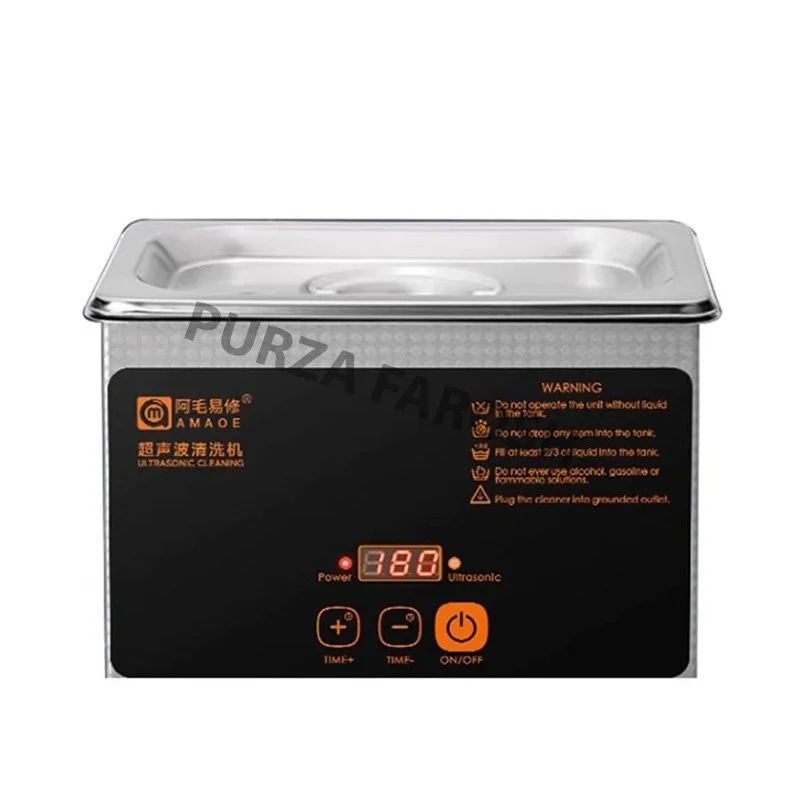
Choosing the Right Ultrasonic Cleaner for PCB Repair
If you are looking for an ultrasonic cleaner for PCB repair, do not choose a machine based only on tank size.
Consider these features:
Frequency
Adjustable Power
Adjustable power can provide more control when cleaning different types of components.
Timer
A timer helps control the duration of each cleaning cycle and prevents unnecessarily long exposure.
Temperature Control
Some cleaning solutions and processes require controlled temperature. The appropriate temperature depends on the solution and components being cleaned.
Sweep Function
A sweep function can slightly vary the ultrasonic frequency, helping to reduce standing-wave effects and provide more uniform cleaning.
What Cleaning Solution Should You Use?
For electronics, technicians should use a compatible, non flammable cleaning solution designed for electronic or PCB cleaning. The correct chemistry depends on the contaminant and the components being cleaned.
Important Safety Warning
For ordinary manual cleaning, IPA may still be useful when applied appropriately outside the ultrasonic tank.
How to Clean a PCB With an Ultrasonic Cleaner
A general workflow for suitable boards is:
Inspect the Board
Check the motherboard for sensitive components, damage, loose parts, and contamination.
Disconnect Power
Remove the battery and ensure the board is completely disconnected from electrical power.
Select a Compatible Solution
Use a cleaning solution intended for the type of electronic assembly being cleaned.
Prepare the Machine
Fill the tank according to the equipment instructions and prepare the cleaning solution properly.
Use a Suitable Cycle
Select an appropriate frequency, power, temperature, and cleaning time based on the board and solution.
Rinse When Required
Some cleaning processes require rinsing with suitable clean or deionised water after the main cleaning cycle.
Dry Completely
Never power a board while moisture remains underneath components or inside connectors. Complete drying should take place before inspection and testing.
Ultrasonic Cleaner vs Manual PCB Cleaning
Both methods have a place in mobile repair.
| Cleaning brush | Light surface dirt |
| IPA/manual cleaning | Targeted residue removal |
| Air blower | Dust removal |
| Ultrasonic cleaner | Suitable deep cleaning applications |
| Microscope | Post-cleaning inspection |
An ultrasonic cleaner should not replace every other cleaning method. In many repairs, targeted manual cleaning may be faster and safer.
When Should You Avoid Ultrasonic Cleaning?
Avoid placing a component into an ultrasonic cleaner when its construction or manufacturer’s guidance indicates that ultrasonic exposure is unsuitable.
- MEMS components
- Sensitive microphones
- Gyroscopes
- Accelerometers
- Unsealed electromechanical parts
- Batteries
- Components that can trap cleaning liquid
When in doubt, do not assume that “electronics” automatically means “ultrasonic-safe.”
Ultrasonic Cleaner Price in Pakistan
The price of an ultrasonic cleaner in Pakistan depends on factors such as tank size, frequency, power, controls, construction, and additional features.
Purzafarosh currently lists Ultrasonic Cleaner as a dedicated category with two products, and the store also has Mechanic and Kaisi ultrasonic cleaner options within its brand/category structure.
- Frequency
- Tank capacity
- Power
- Timer
- Temperature control
- Sweep function
- Cleaning solution compatibility
- Build quality
- Intended application
Do not choose a machine only because it has a larger tank or higher power rating.
Building a Complete PCB Cleaning Setup
An ultrasonic cleaner works best alongside other mobile repairing tools.
Purzafarosh already has categories for microscopes, multimeters, power supplies, soldering stations, SMD rework stations, cleaning tools, and ultrasonic cleaners, making these natural internal link opportunities.
Final Thoughts
But the machine should never be treated as a universal solution. Component compatibility, cleaning chemistry, frequency, power, exposure time, and complete drying all matter.